Hello,
We have recently updated our script and some security updates and improvements were made. The most amazing part is adding the Faucetpay deposit method! Yes, from now on, you can add funds via Faucetpay, without any fees!
How to deposit with Faucetpay? Follow these simple steps:
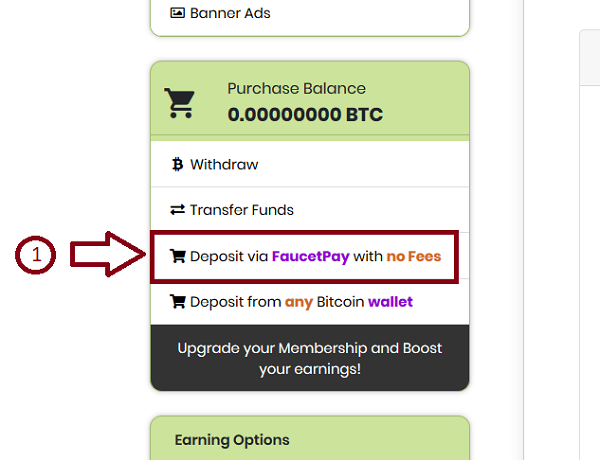
1- Find the "Deposit via FaucetPay with no Fess" button from the left menu and click on it:
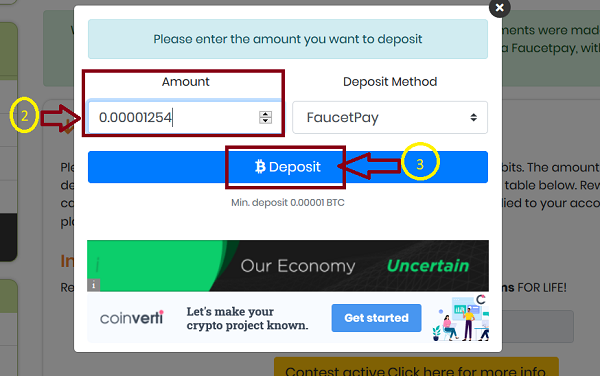
2 & 3- Please enter the amount you want to deposit and press the "Deposit" button
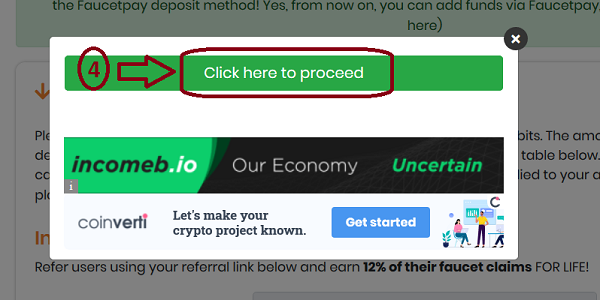
4- Click on "Click here to proceed"
5- You will be redirected to the Faucetpay.io where you will need to confirm and finalize the payment.
If you had already been logged in to FaucetPay beforehand, then you would see the following form where you would need to click on "Complete Payment" button.
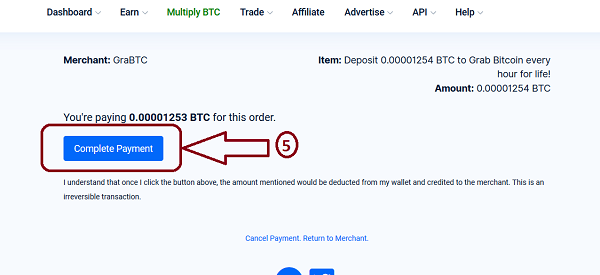
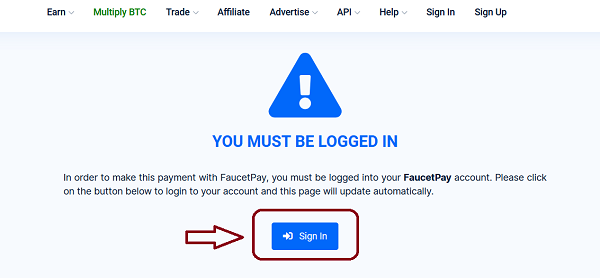
If you were not logged into FaucetPay, you will get the following message where you will need to click on "Sign In" button to log in, then it will be automatically redirected to the above picture (5), where you can complete your payment.
If you have any questions or concerns, please let us know by a support ticket.
We will be happy to assist you.
The GraB.TC team